
The Head tab
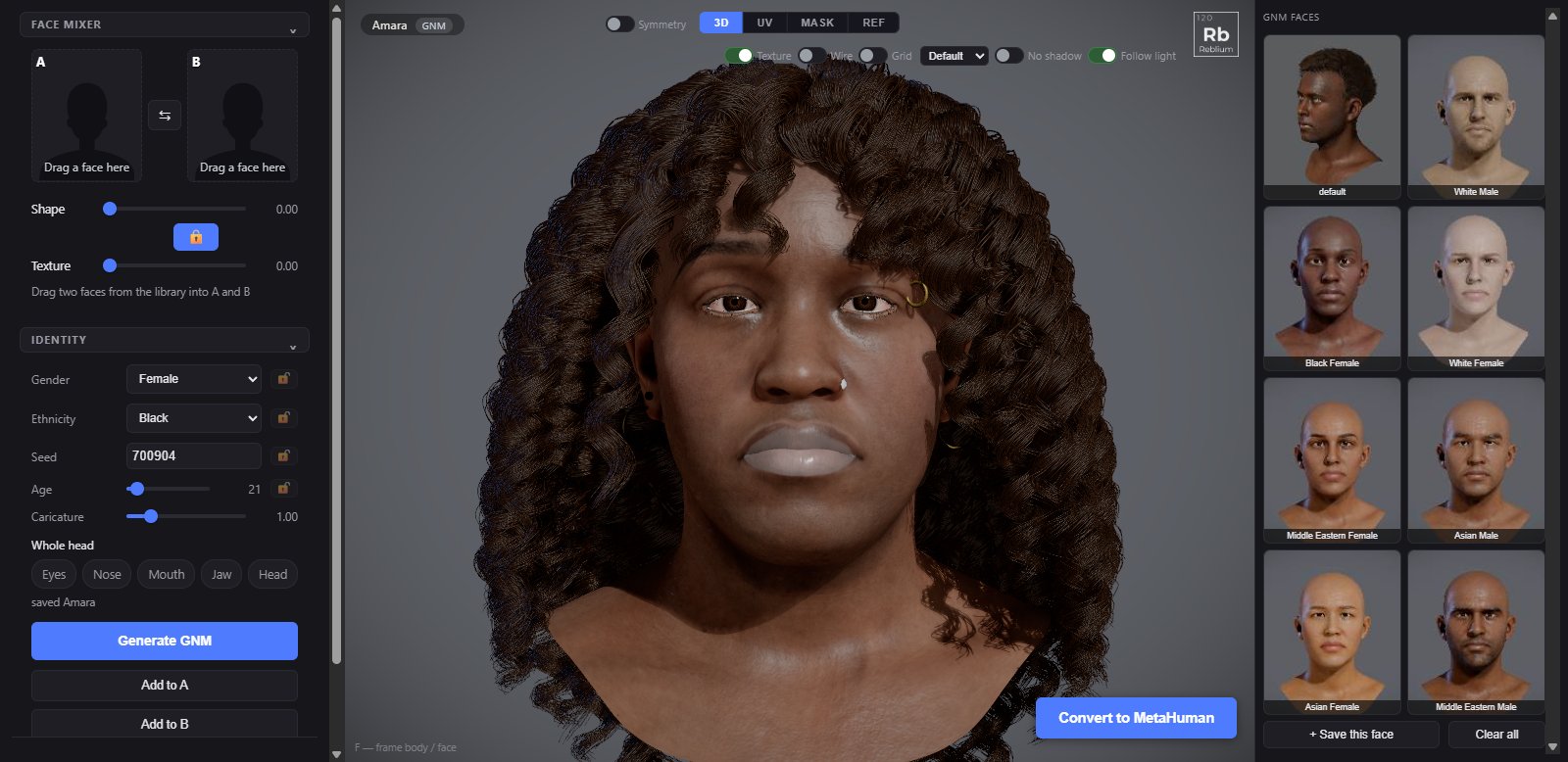
The Head tab is where a GNM face is made: roll a new face with Generate GNM, steer it with gender, ethnicity, seed and age, and change only one part with the region chips. On a MetaHuman the same tab holds its Base group, its Face Mixer and its Aging.
TabHeadGroupsface mixer, identity; on a MetaHuman: Base, face mixer, ShapeFacesGNM faces, in the right panelUndoCtrl+Z on this tab
Usage
- Press Generate GNM for a new face. Only the face changes: gender, ethnicity, seed, age, skin and eye colour. Your hair and the rest of the look stay.
- Lock what you want to keep with the padlock beside it, and press Generate GNM again.
- To change one part only, light a region chip (Eyes, Nose, Mouth, Jaw or Head) before you press Generate GNM.
- Set age with its slider: lines come in and the hair greys with the years.
- Keep a face you like with + Save this face under the GNM faces. See Faces libraries.
identity
| Control | What it does |
|---|---|
| Gender, Ethnicity, Seed | What the face is generated from. The padlock beside each holds that value when you generate. |
| Age | 18 to 70. Ages the skin, with lines from about 30 that deepen to 70, and greys the hair: a little from 40, mostly grey by 70. The face's shape stays. One drag is one undo step. |
| Caricature | How far from the average face each Generate lands. 1 is the default. |
| Eyes, Nose, Mouth, Jaw, Head | Restricts the change to one part. One at a time; click the lit chip to clear it. |
| Generate GNM | Rolls a new face, skipping what you have locked. |
| Add to A, Add to B | Puts the face on screen into the Face Mixer's slot A or B. See Face mixers. |
| Reset | Clears the regions and identity, and puts caricature, the deformers and the skin hue back. |
On a MetaHuman
On a MetaHuman the Head tab shows three groups instead:
- Base, on a converted character: Import MetaHuman DNA… and Back to GNM. See Convert to MetaHuman.
- face mixer: the MetaHuman Face Mixer. See Face mixers.
- Shape: Aging, from 0 (the head as it is) to 1 (the full aged shape). Double click for 0. BMI Face is on the Body tab.
TipFor a whole character, hair and accessories included, use the Generator. The Head tab changes the face only.
Common problems
| What you see | Why | What to do |
|---|---|---|
| Generate changes nothing | Everything is locked. | Open some padlocks. |
| Generate changed only the nose | The Nose chip is lit. | Click the lit chip to clear it. |
| Generate GNM is missing | A MetaHuman is on screen. | It is a GNM head tool. Use Back to GNM, or the MetaHuman faces library. |