
Convert to MetaHuman
Any character made on the GNM head can become a MetaHuman in one click. Your face goes on top of a default MetaHuman as a sculpt layer called GNM face, and your skin colour, eye colour, hair, makeup and accessories come along.
ButtonConvert to MetaHuman, bottom right of the view, Head tab, GNM headAlsoOpen as MetaHuman in the GeneratorAfterthe Base group on the Head tab
Usage
- On the Head tab, with your character on the GNM head, press Convert to MetaHuman at the bottom right of the view.
- A window shows the steps: opening the base, building the head, carrying the face, seating the eyes, putting on the skin, hair and accessories. Cancel or Esc stops it.
- A man goes onto Taro, a woman onto Ada, following the gender on the Head tab.
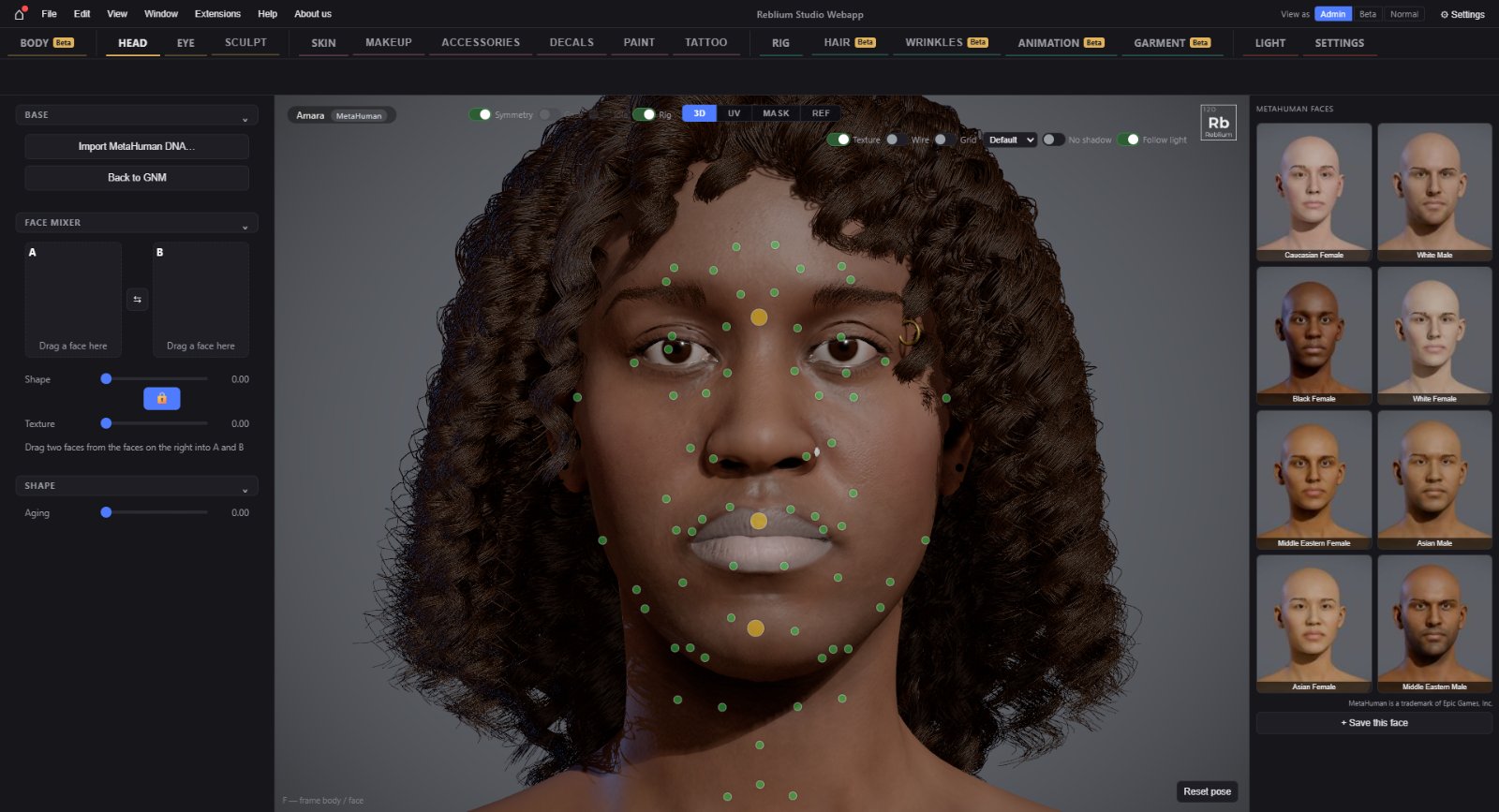
- You land on the Head tab with the MetaHuman's rig dots on the face.
What comes across
- The face shape, as a sculpt layer GNM face at full weight, faded off at the neck. Change its weight in the Sculpt tab's layers.
- The MetaHuman keeps its own eyes and teeth, moved into the new sockets and mouth.
- The skin colour, as a tone over the MetaHuman's own colour map. The skin's surface detail is the MetaHuman's.
- The eye colour, hair, brows, beard, makeup, piercings, glasses and hats.
- No body: add one on the Body tab.
The Base group
On a converted character the Head tab shows Base: this character is a GNM face on a MetaHuman.
| Control | What it does |
|---|---|
| Import MetaHuman DNA… | Puts this face on a MetaHuman DNA file of your own (LOD0). It opens the file window straight away, and stays in this browser. |
| Back to GNM | Leaves the MetaHuman and shows the GNM face on the GNM head again, exactly as it was. The MetaHuman's own sculpt layers are kept for next time. |
TipConvert when the face is done. You can keep working on a MetaHuman (sculpt, hair, skin), but Generate, Identity, Deformers and Expression are GNM head tools.
Common problems
| What you see | Why | What to do |
|---|---|---|
| Only a LOD0 MetaHuman can take a GNM face | The target DNA is a lower LOD. | Use a LOD0 export. |
| The conversion failed | A file could not be loaded. | Press Back to the GNM character; your character is as it was. |