
Face mixers
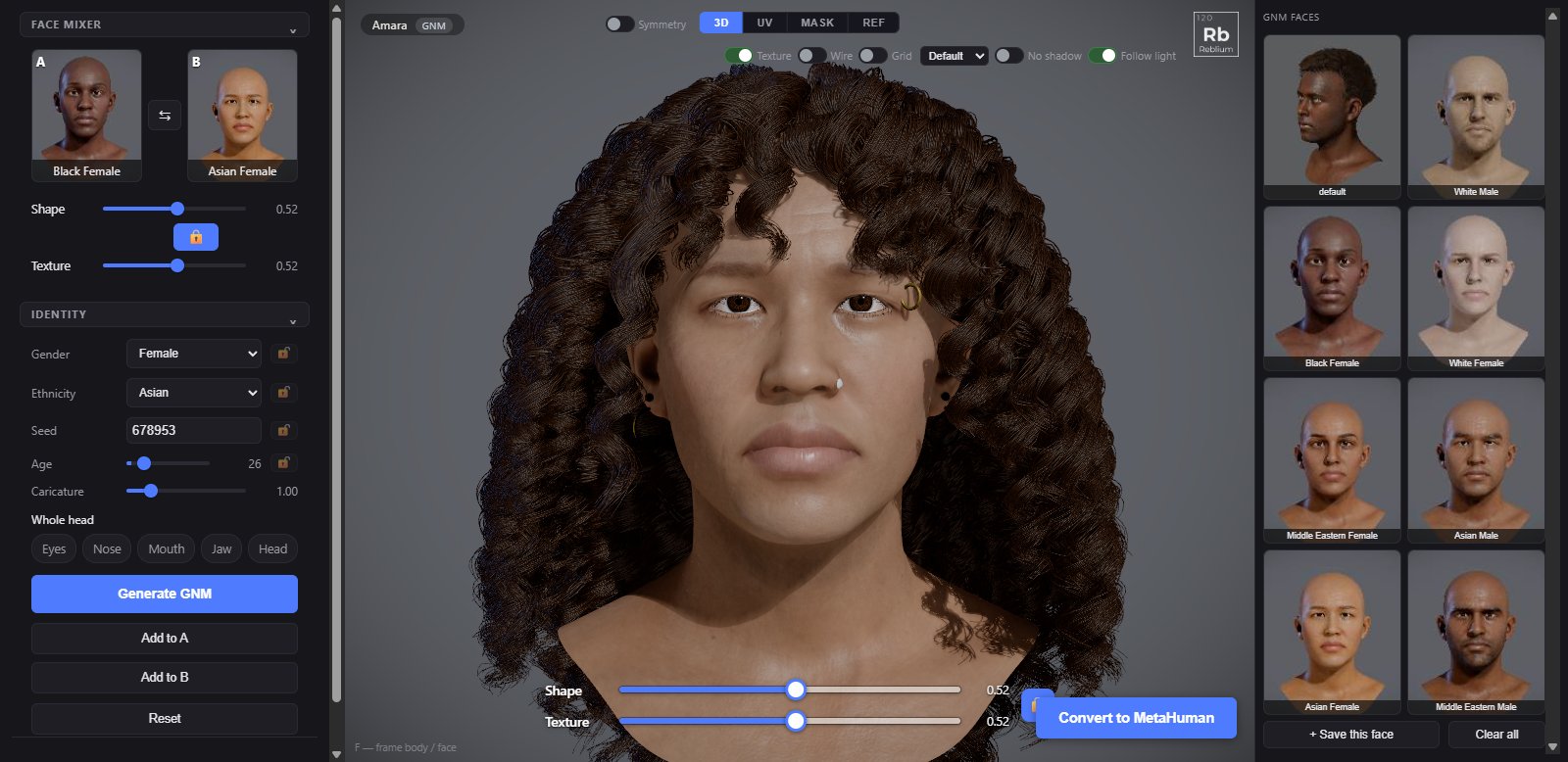
A face mixer blends two faces into one. Put a face in slot A and another in slot B, then slide Shape and Texture between them. The GNM head and a MetaHuman each have their own, and they work the same way.
Wherethe face mixer group at the top of the Head tabFacesdragged from the faces library on the rightUndoCtrl+Z undoes each drag
Usage
- Open the face mixer group on the Head tab.
- Drag a face from the library on the right into A, and another into B. Or click a slot, then a face. On the GNM head, Add to A and Add to B in identity put the face on screen in a slot.
- Slide Shape and Texture. With the padlock shut they move together.
- When both slots are full, the same sliders also sit at the bottom of the view.
| Control | What it does |
|---|---|
| A, B | The two faces. × empties a slot. |
| ⇆ | Swaps A and B. |
| Shape | How much of B's face shape: 0 is A, 1 is B. |
| Padlock | Shut: Shape and Texture move together. Open: each on its own. |
| Texture | How much of B's skin: 0 is A, 1 is B. On the GNM head it mixes the whole skin: maps or colour, paint, makeup and tattoos. On a MetaHuman it mixes the skin colour. |
The GNM head and a MetaHuman
- On the GNM head, Shape mixes the two faces' identities exactly; gender and ethnicity come from whichever face is stronger. Decals come from the stronger face.
- On a MetaHuman, the two faces go onto the same MetaHuman and Shape mixes them there, in the GNM face layer. Drag faces from the MetaHuman faces library.