
Sculpt
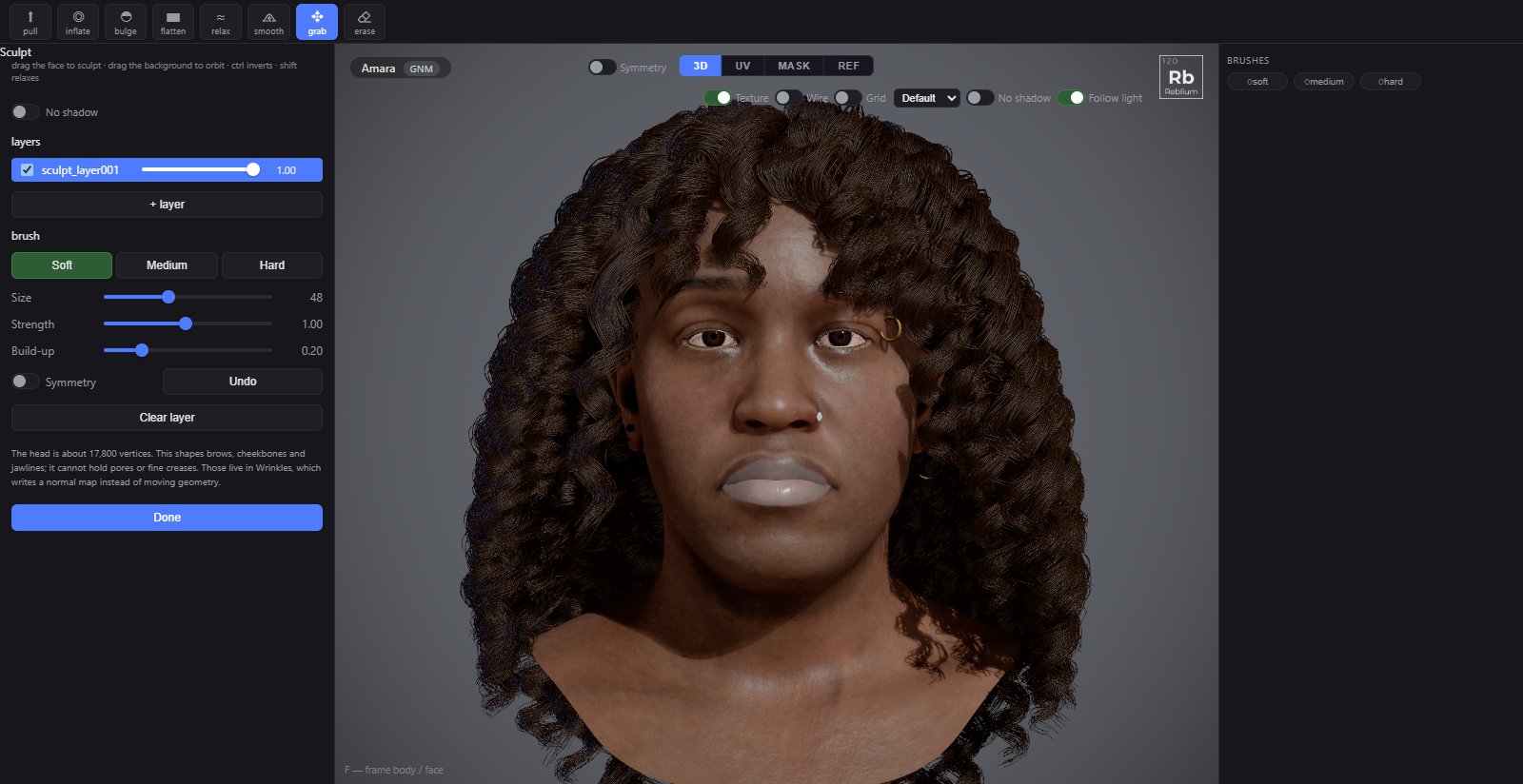
Sculpt moves the surface itself with a brush. Every stroke lands in a layer, so a sculpt survives a new face, can be dialled down, and can be switched off. It works on the GNM head and on a MetaHuman.
TabSculptToolson the shelf: grab, pull, inflate, bulge, flatten, relax, smooth, eraseModifiersCtrl inverts, Shift relaxesUndoCtrl+Z
Usage
- Open Sculpt. A layer is ready.
- Pick a tool on the shelf. grab is the default.
- Drag on the face. Drag the background to orbit. Ctrl inverts the brush; Shift relaxes.
- Use + layer to keep a change on its own. Lower a layer's weight to dial it down.
- Press done when you finish.
Tools
| Tool | What it does |
|---|---|
| grab | Drags the whole area under the brush with the pointer. |
| pull | Pulls the surface out along its normal; Ctrl pushes in. |
| inflate | Moves each point along its own normal, so a curved patch swells; Ctrl deflates. |
| bulge | Strengthens the relief that is already there; Ctrl flattens. |
| flatten | Pulls the area onto its own average plane; Ctrl bulges. |
| relax | Moves each point toward its neighbours, evening out the surface. Shift relaxes with any tool. |
| smooth | Takes the active layer part of the way back toward the head without it, by the brush's strength. Other layers stay. |
| erase | Paints the sculpt back toward the original shape. |
The panel
| Control | What it does |
|---|---|
| No shadow | An even light with no shadows, to see the form. |
| Layers | Every sculpt layer, with its weight. The box switches a layer off. |
| + layer | A new empty layer. |
| Soft, Medium, Hard | The brush's falloff: a soft fade, full weight to half the radius, or a flat disc with a sharp rim. |
| Size, Strength | Brush size and how hard one stroke is. |
| Build-up | How much one stroke may keep adding while you hold it on the same spot. |
| Symmetry | Mirrors every stroke across the middle. |
| Undo, Clear layer, Done | Undo a stroke, empty the layer, leave the tool. |
On a MetaHuman
A MetaHuman has its own brush and its own layer stack. A converted character has a layer called GNM face: its weight dials from the MetaHuman's own face (0) to yours (1) and past it. With a body on, choose Head, Body or Both to say what the brush reaches.
A frame held on the Animation tab with Hold pose can be sculpted too: the strokes go to the rest shape.
TipThe Deformers tab can bake its result into a new sculpt layer, so you can erase it by hand.