
MetaHuman Rig and shading
A MetaHuman brings its own face rig. The Rig tab gives you every control of it, as sliders and as dots, and whole face poses. Its own skin, eyes, teeth, lashes and tear line are in the shading group of the Skin tab.
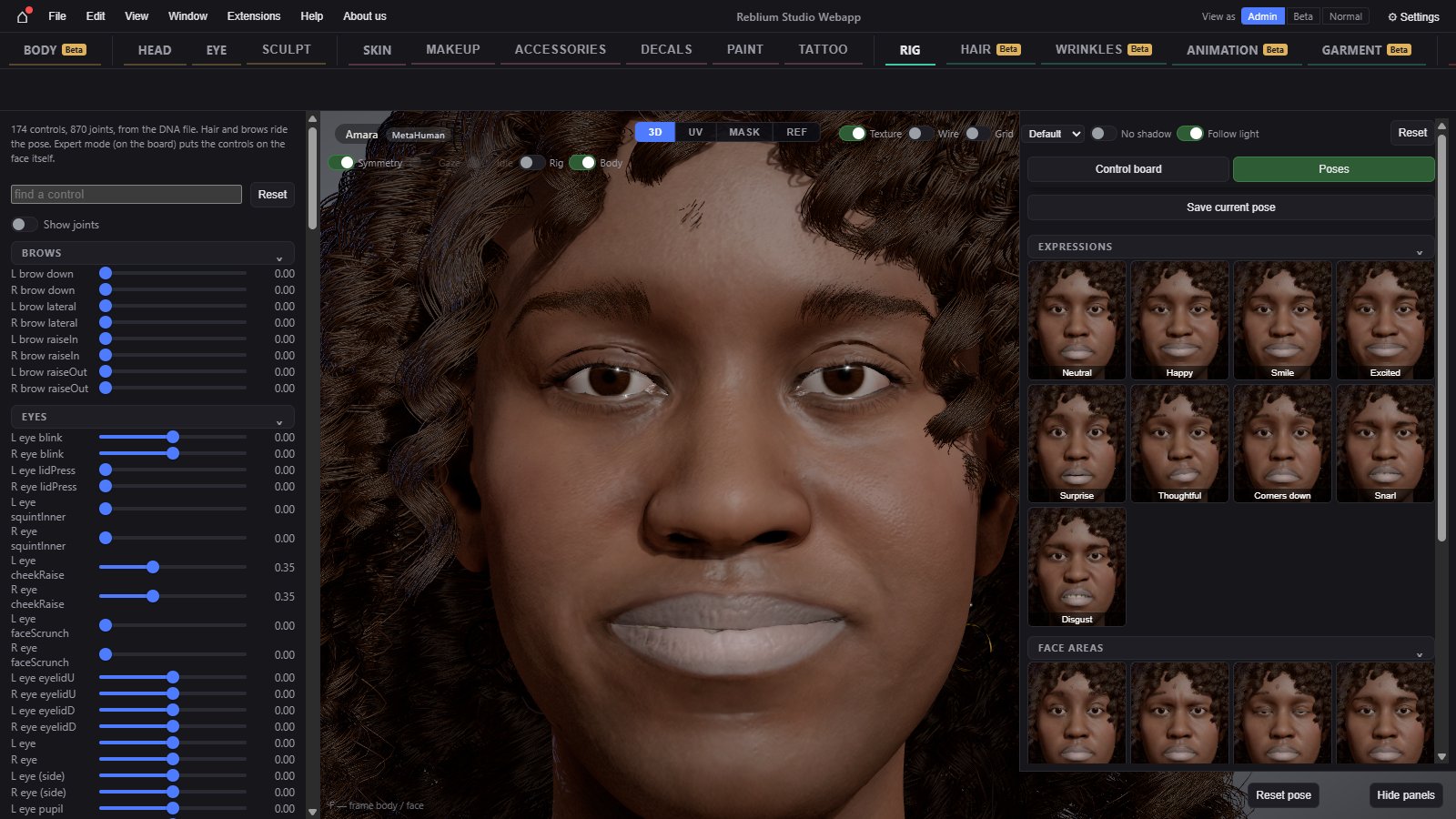
The Rig tab
| Control | What it does |
|---|---|
| Find a control | Filters the sliders by name. |
| Reset | Every control back to zero: the neutral face. |
| Show joints | Every joint of the rig as a dot, where it is posed. |
| Sliders | One per control, grouped as brows, eyes, nose, cheeks, ears, jaw and chin, tongue, teeth, mouth, neck and other. Double click a slider to set it to 0. |
Control board and Poses
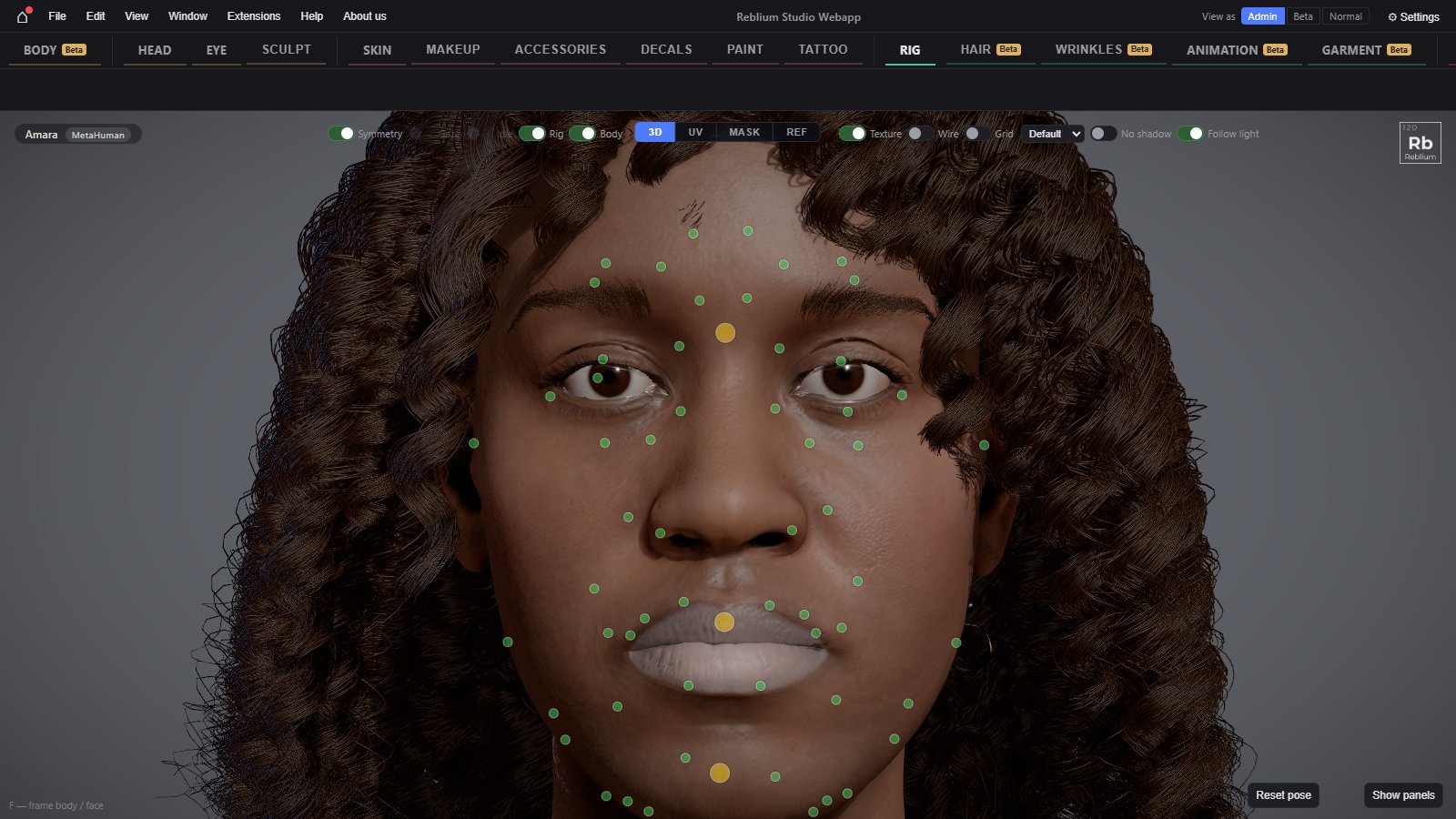
The right panel has two tabs. Control board shows every control of the rig as a dot on a face board: drag a dot to pose that control, double click it to reset only that one. Poses holds whole face poses: Expressions (Neutral, Happy, Smile and more), Face areas (Forehead raise, Frown and more) and Yours. Save current pose keeps the face's pose as one of your own, in this browser, with a picture.
Expert mode
hide panels in the view slides both columns away and puts every control of the face as a dot on the head itself. show panels brings them back; reset pose puts the neutral face back. The Rig switch over the view shows the rig's dots on whatever tab you are on.
Shading, on the Skin tab
On a MetaHuman the Skin tab has a shading group with the MetaHuman's own look: its skin, eyes, teeth, lashes and tear line. A head opened from a single DNA file has no textures; add its maps there. Makeup, Paint and the other looks tools work on a MetaHuman too, in its own UV.
On a MetaHuman the Eye tab shows only the controls for its painted eyes: hue shift, saturation, brightness and tint. See Eye.