
Grooming
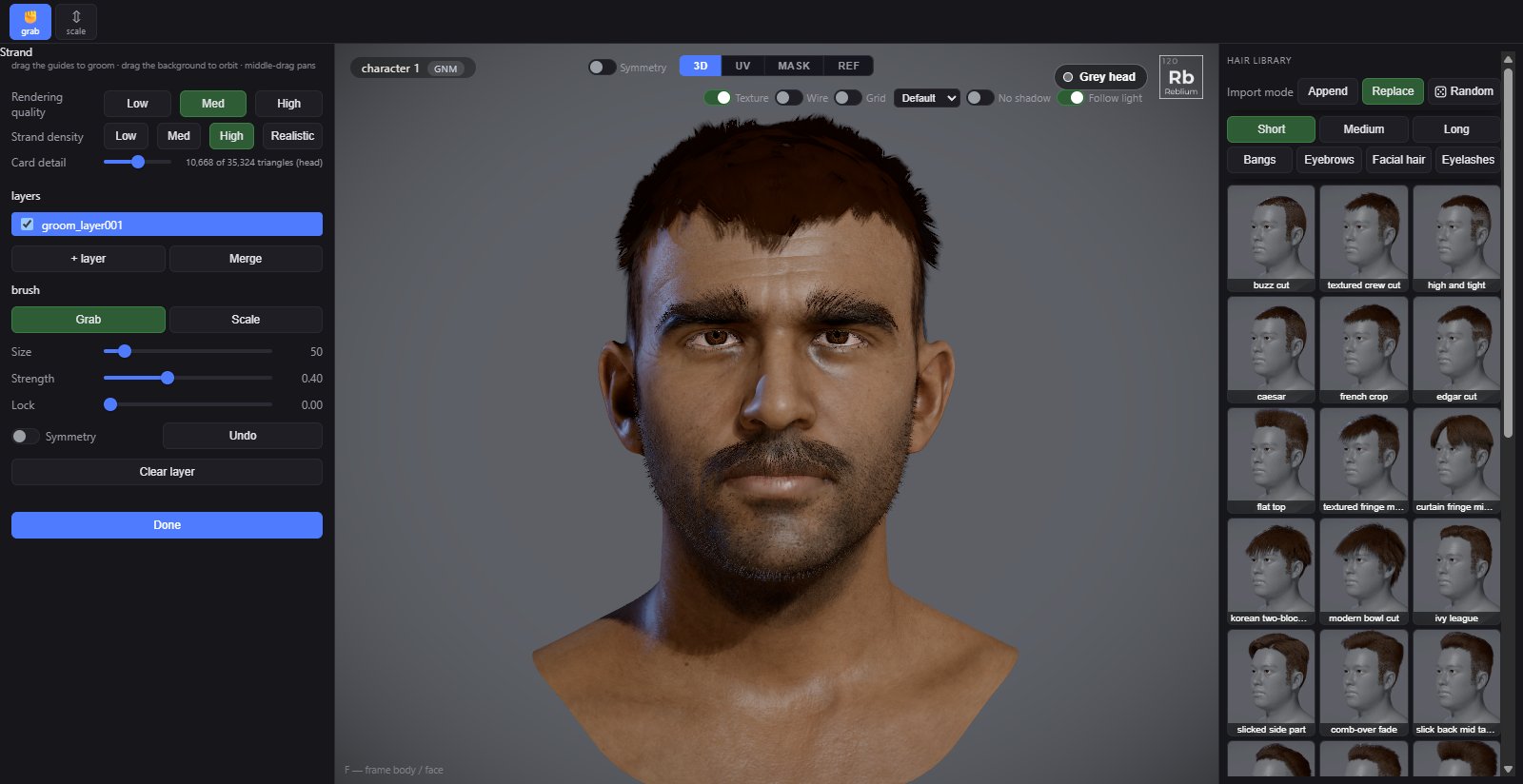
Grooming is the hands-on finish: a brush that takes hold of the strands and bends them, or makes them longer and shorter, in layers you can switch off.
Startgroom strands or strand length on the Hair shelfBrushesGrab and ScaleSmoothShift+dragUndoCtrl+ZLeaveDone
Usage
- Shape the hair first: tubes, cuts and sliders. A change to a tube rebuilds its strands.
- On the Hair shelf, press groom strands (the grab brush) or strand length (the scale brush). The left panel becomes the Strand panel.
- Drag on the hair. Drag the background to orbit; middle drag pans.
- Press Done to go back to the hair tools.
| Control | What it does |
|---|---|
| Grab | Takes hold of every strand inside the circle where you click and steers that point; the strand pivots to follow. Ctrl+drag pins the strand and moves only the touched point. Length never changes. |
| Scale | Drag up or down to lengthen or shorten every strand in the circle. |
| Shift+drag | Smooths. |
| Size | The brush radius, in screen pixels. |
| Strength | How hard one stroke moves the hair. |
| Lock | Where the bend starts: 0 bends from the root, higher holds the root rigid. |
| Symmetry | Mirrors every stroke across the middle of the head. |
| Undo | Undoes the last stroke (Ctrl+Z). |
| Layers | Strokes land in the selected layer. The box shows or hides a layer, × deletes it. |
| + layer | A new empty layer on top. |
| Merge | Flattens every visible layer into one. |
| Clear layer | Empties the selected layer. |
| Rendering quality, Strand density | How hair is drawn in this browser. See The Hair tab. |
TipGrab works best near the skin, where the strands bend from. Lower Lock to bend from the root, raise it to keep the root standing.
Common problems
| What you see | Why | What to do |
|---|---|---|
| A stroke does nothing | The brush missed the strands, or it is far from the skin. | Make the brush bigger, or start the stroke closer to the roots. |
| My strokes vanished | The tube or the cut was changed, which rebuilds the strands. | Groom last. |