
Accessories
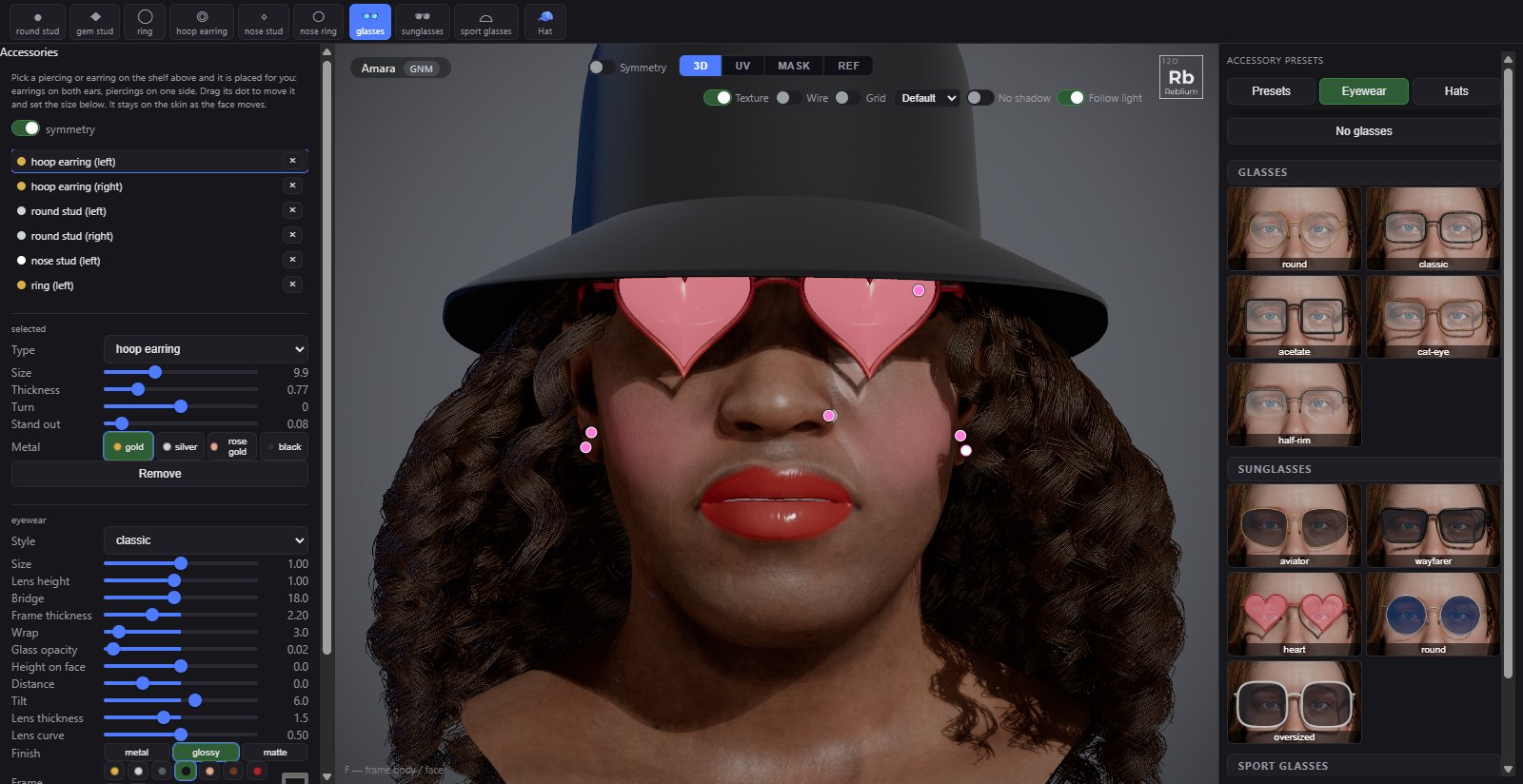
Accessories are what the character wears on the face and head: piercings and earrings, glasses, sunglasses and sport glasses, and hats. Each is fitted to the face you have, moves with every expression, and refits when the face changes.
Piercings and earrings
Click a piece on the shelf and it is placed for you: earrings on the ear lobe, a ring through the brow, a stud on the nose. Click again for the other side. Shift+click places it by hand. Drag its dot to move it; it stays on the skin as the face moves.
| Control | What it does |
|---|---|
| Symmetry | Places and edits a matching piece on the other side of the face. |
| Type | Changes the selected piece: round stud, gem stud, ring, hoop earring, nose stud, nose ring. |
| Size | In millimetres: a stud's size, a ring's or hoop's radius. |
| Turn | Turns it on the skin, in degrees: which way a ring or hoop hangs. |
| Metal | gold, silver, rose gold or black. |
| Remove | Removes it, and its twin with symmetry on. |
Glasses
glasses, sunglasses and sport glasses on the shelf put a pair on; the Eyewear tab on the right has every style. The frame is fitted from the face: the bridge sits on the nose and the arms run back to the ears.
| Control | What it does |
|---|---|
| Style | The frame's shape. |
| Size, Lens height, Bridge, Frame thickness, Wrap | The frame itself: its size against the face, how tall the lenses are, the gap over the nose, the frame's thickness and how far the lenses curve round the face. |
| Glass opacity | How see-through the glass is. It starts at the lens type's own value. |
| Height on face, Distance, Tilt | Where the pair sits: up or down the nose, away from the face, and the tilt of the lenses. |
| Lens thickness, Lens curve | How thick the lenses are and how much they bulge. |
| Finish, Frame | metal, glossy or matte, and the frame colour. |
| Lens | clear, tinted, sunglass or mirror. |
| Show, Remove | Shows or hides the glasses, or takes them off. |
Hats
Hat on the shelf puts on a cap and opens the Hats tab on the right: caps, knits and brimmed hats, from the baseball cap and beanie to the fedora and cowboy hat. No hat takes it off. A hat fits the head and presses the hair under it, so long hair hangs out below the band.
| Control | What it does |
|---|---|
| Style, Colour | The hat and its colour. A cap also has the colour under its brim. |
| Style rows | Each hat has its own: a cap's brim forwards or backwards, crown height, fit, brim length, width, curve and angle, seams, button and more. |
| Size | The size of the whole hat: 1 is the size fitted to the head. |
| Up/down, Forward/back, Left/right, Turn, Roll | Moves and turns the hat on the head. You can also drag it in the view; Shift+drag turns it. |
| Reset placement | Back to the size and place fitted to the head. |
| Show, Remove | Shows or hides the hat (hidden, the hair is free again), or takes it off. |
Presets
The Presets tab keeps sets of piercings: click one to put them on. on click says whether a preset is added to what is on the face or replaces it. yours keeps your own sets in this browser: click an empty slot to save what is on the face.